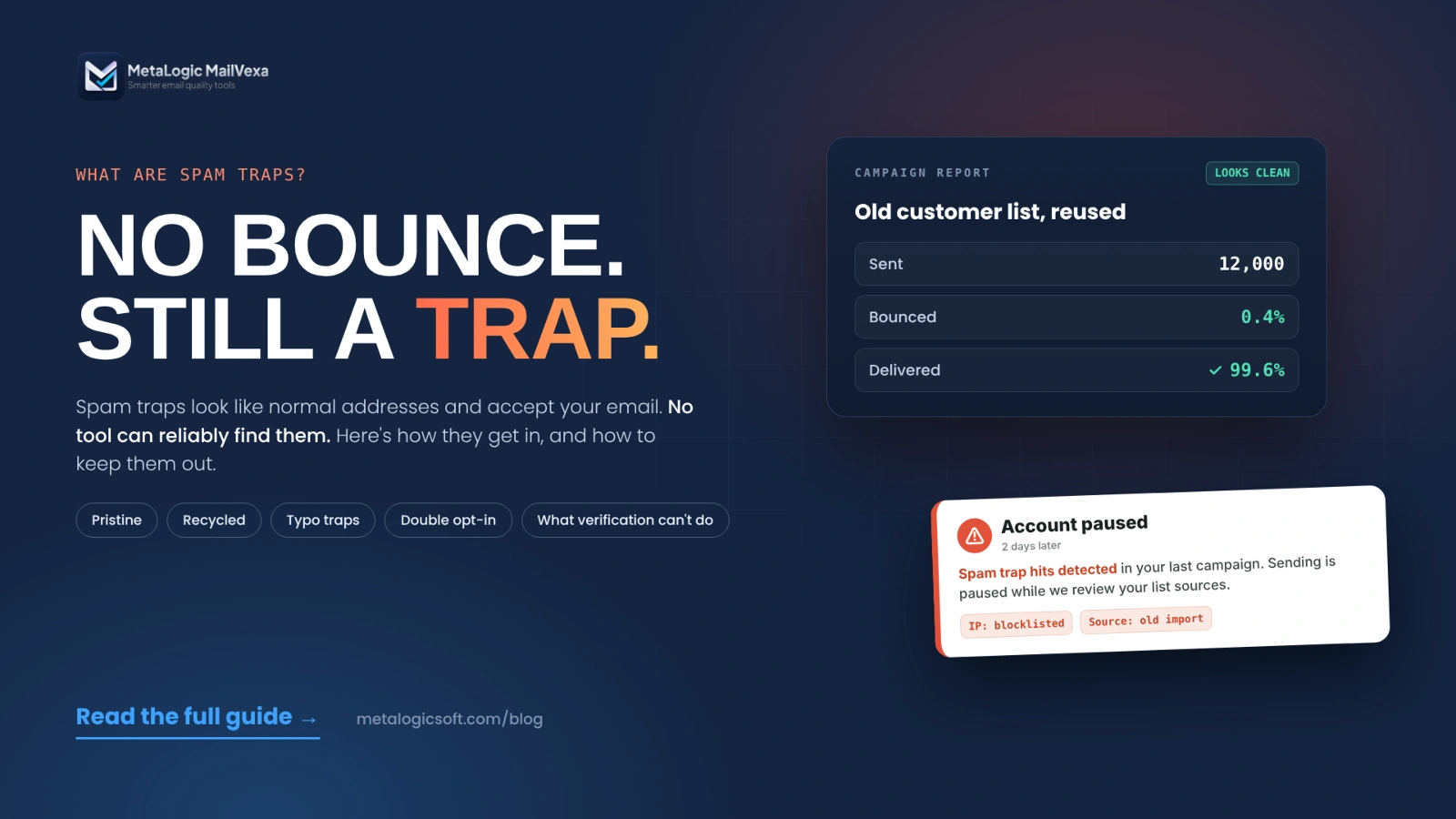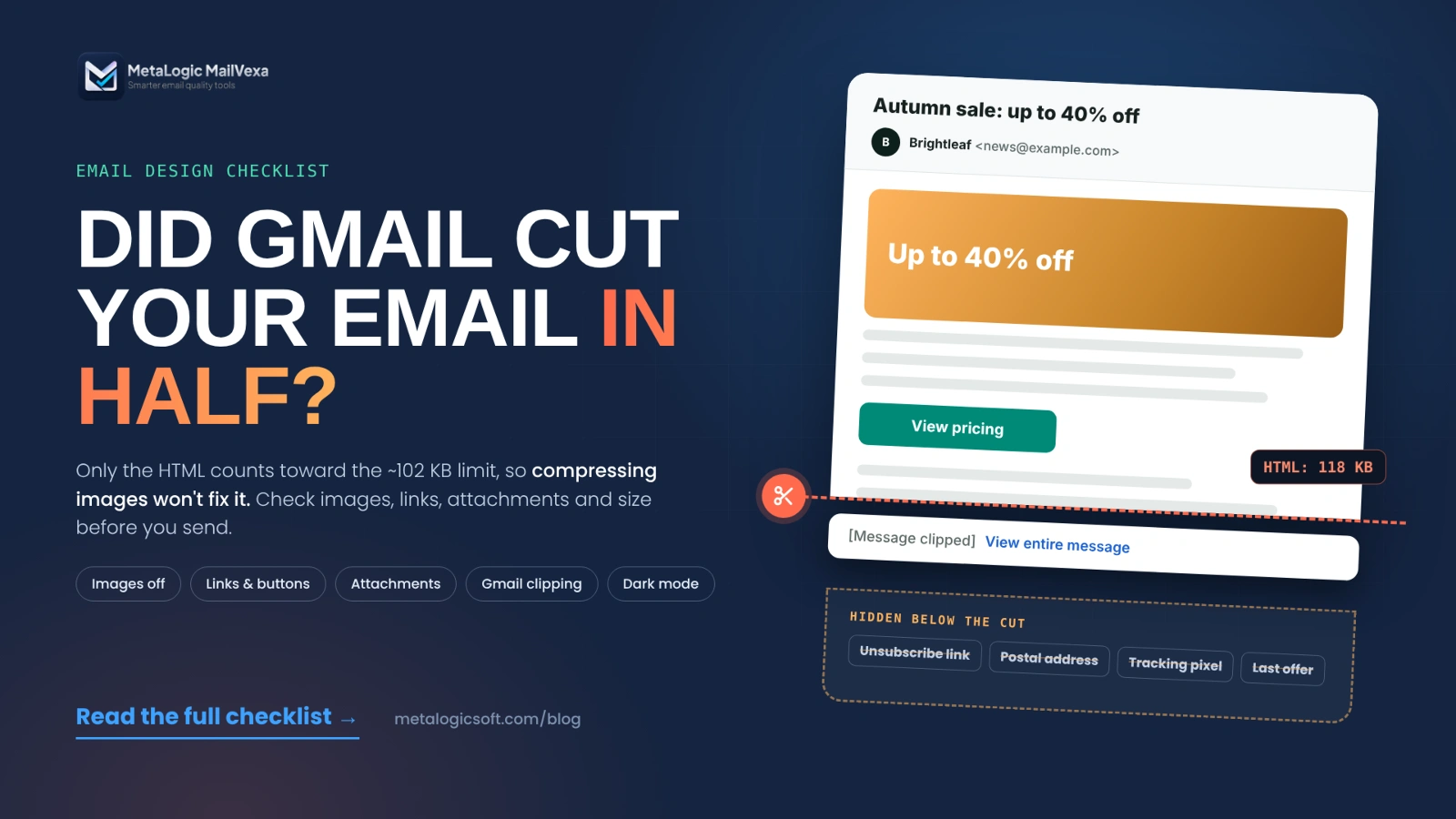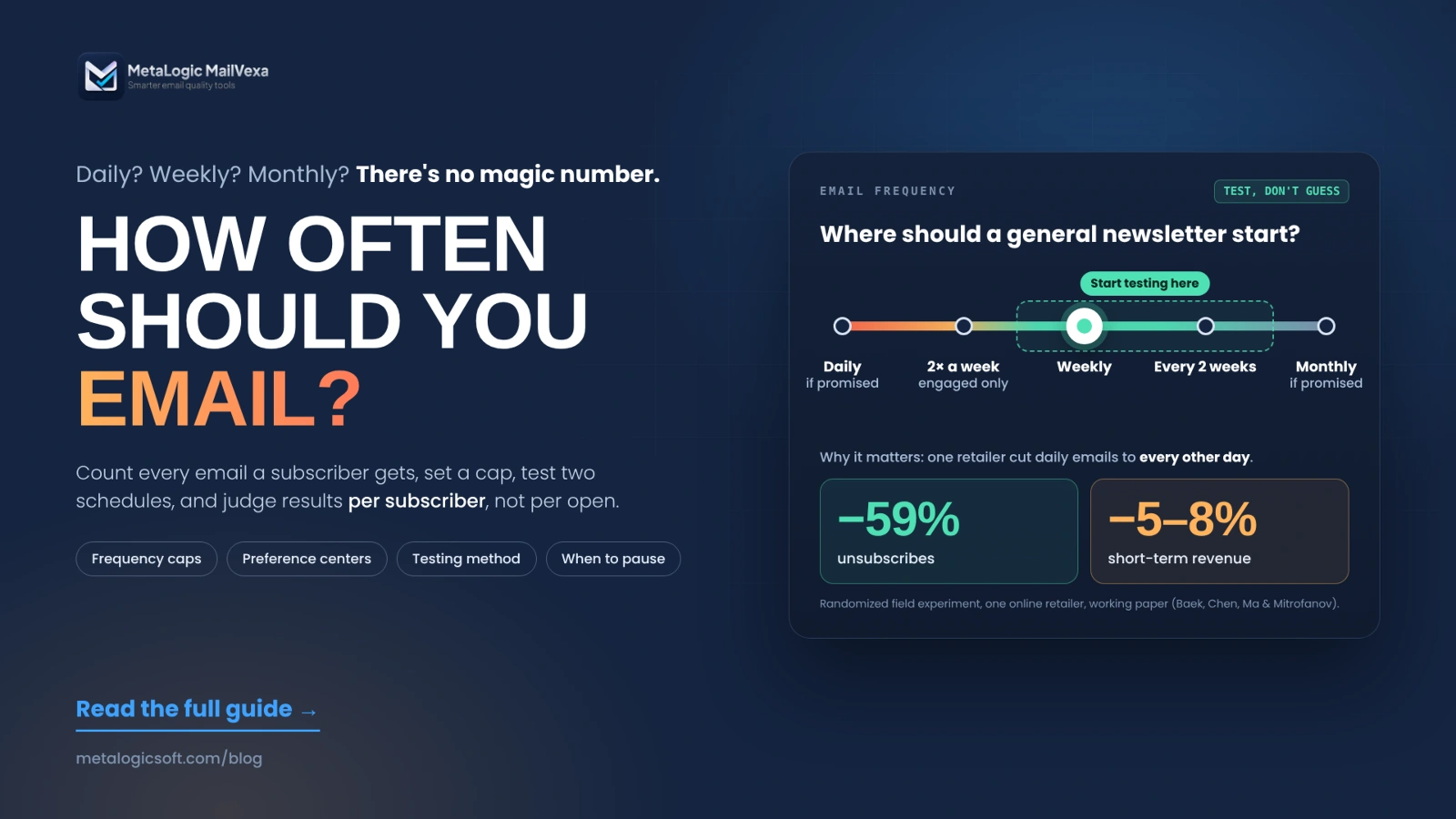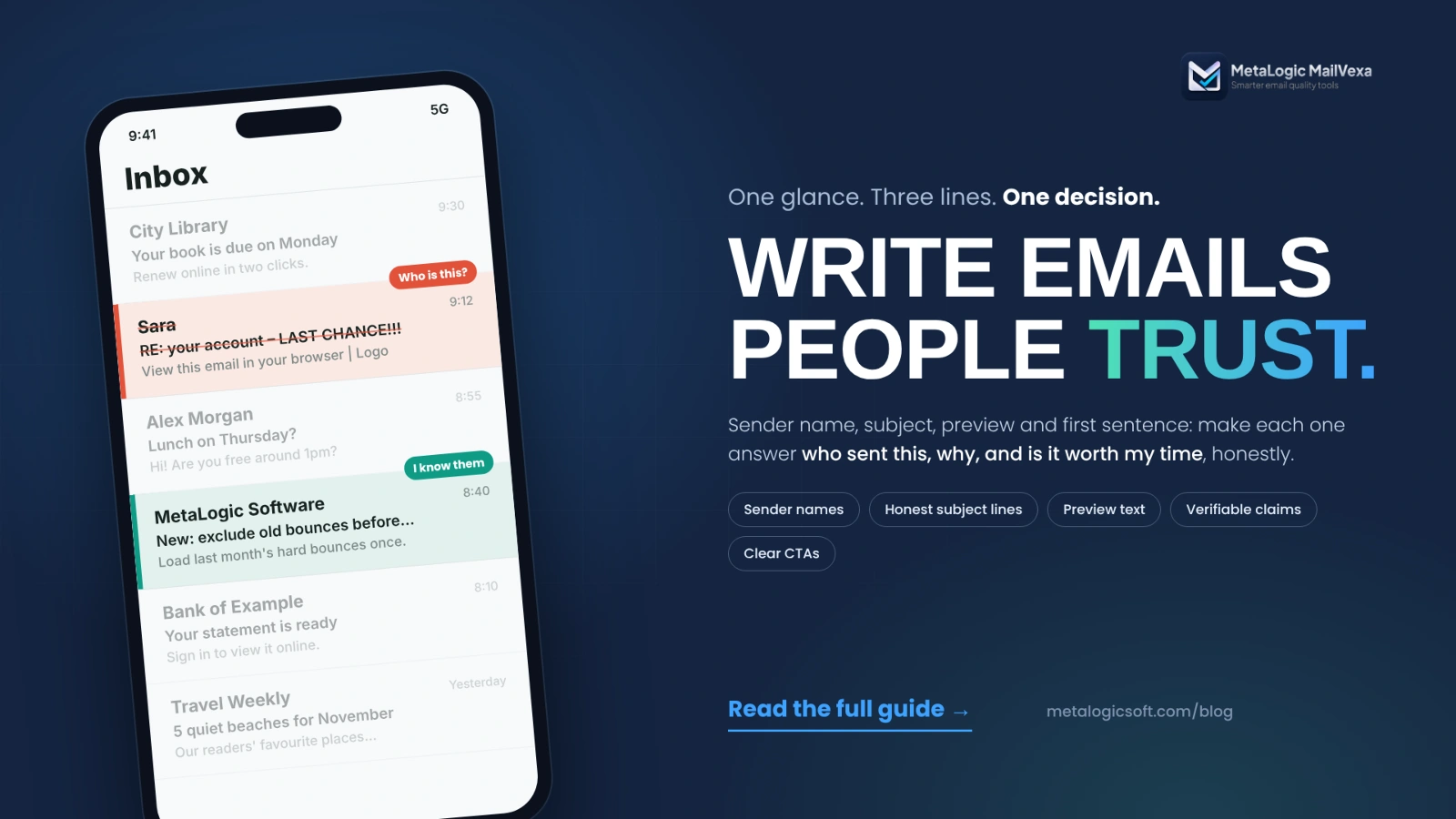
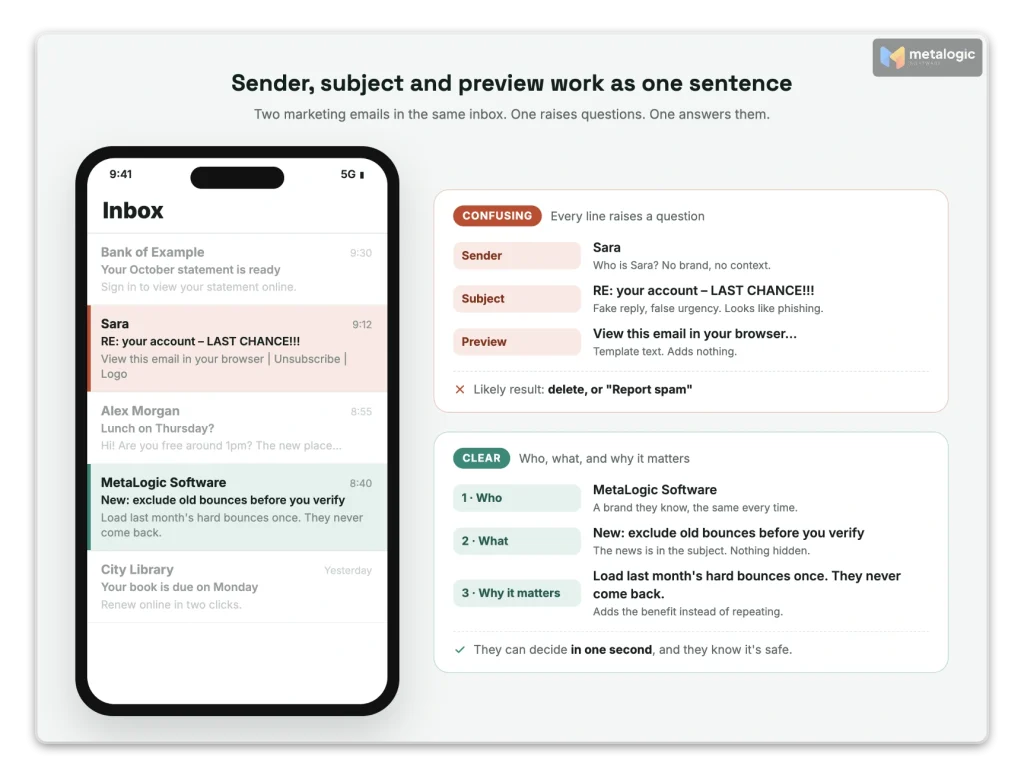
Your subscriber picks up their phone. Your email is one row in a long list. They see three things:
Sara · RE: your account – LAST CHANCE!!! · View this email in your browser…
Who is Sara? What account? Is this a scam? Their thumb is already on “Delete”. Some will press “Report spam”.
Now the same person sees this row:
MetaLogic Software · New: keep old bounces out of your next list · The latest update adds an exclude list. Here’s how it works.
They know who it is. They know what it’s about. They can decide in one second. That is the whole game. This guide shows you how to write every part of a marketing email, from the sender name to the footer, so people recognize you, understand you, and feel safe taking the next step.
Quick answer
People trust emails that answer three questions fast: Who sent this? Why am I getting it? Is it worth my time?
Use a sender name they know and keep it the same every time. Send only what they signed up for. Write a subject line that honestly describes the email, and preview text that adds something new. Say why you are writing in the first sentence. Back up every claim, explain every offer, and use one clear button that says what happens next. Make replying and unsubscribing easy.
Honest copy lowers spam reports, but it can’t guarantee the inbox. That also depends on your list, your setup and your sending habits.
Why recognition and trust matter
Before anyone reads your offer, they answer three quick questions. Each part of the email helps answer one of them.
| The reader asks | What answers it | If the answer is unclear |
|---|---|---|
| “Who sent this?” | Sender name, From address | Delete, or “Report spam” |
| “Why am I getting this?” | A match with what they signed up for, and a short reminder | “I never asked for this” |
| “Is this relevant to me?” | Subject line, preview text, first sentence | Ignored, then forgotten |
Recognition is not trust
Recognition means “I know this brand.” Trust means “I believe what this brand tells me.” A famous brand with a fake countdown timer is recognized, but not trusted. A small brand that always keeps its promises can earn both. You need both: recognition gets the email opened, and trust gets the click.
Why this affects delivery, too
People’s reactions don’t stay inside one email. Gmail’s email sender guidelines explain: “If messages from your domain are frequently reported as spam, future messages from you are more likely to be marked as spam.” So a confusing or misleading email can hurt the next ten emails too.
Good copy can’t guarantee the inbox
Writing helps because it changes how people react. But Google itself says it “can’t guarantee messages sent by email providers will pass Gmail’s spam filters.” Authentication, list quality and sending habits matter just as much. For the technical side, see 15 ways to improve email deliverability.
Use a sender name your subscribers recognize
The sender name is the first thing people read. Gmail now has a whole section on it. It says: “Sender display names should be used exclusively to identify the sender,” and they should be “a consistent, clear, and accurate statement of the sender’s identity, name and/or organization.”
| Sender name | Verdict | Why |
|---|---|---|
MetaLogic Software | ✓ Good | Clear brand. Easy to recognize. |
Hadi from MetaLogic | ✓ Good | A real person, connected to a known brand. Works if Hadi really writes or reads the replies. |
Hadi | ⚠ Risky | A first name alone. New subscribers won’t know who Hadi is. |
Marketing Team or noreply | ⚠ Weak | Says nothing about who you are, or tells people not to talk to you. |
LAST CHANCE – 50% OFF | ✗ Avoid | Google lists “Last Chance” and “TIME IS RUNNING OUT (SALE)” as names to avoid. A sender name is not a subject line. |
Sara (2) or [1] New Message | ✗ Avoid | Pretends to be a conversation. Google names “User (2)” and “[1] New Message” as examples. |
[Reader's first name] | ✗ Avoid | Google says the display name must not contain the recipient’s name. |
Google doesn’t say “use your brand” or “use a person”. It accepts both. What it asks for is accuracy and consistency. Google also warns against emojis or symbols next to a name that “imply the name has been verified.”
This is not only a Gmail rule
The FTC’s CAN-SPAM compliance guide says your “From,” “To,” “Reply-To” and routing information “must be accurate and identify the person or business who initiated the message.” Each email that breaks the law can cost up to $53,088. In its 2022 dark patterns report, the FTC describes a company that sent emails with “from” lines that “falsely claimed they were coming from news organizations like CNN or Fox News.” A fake sender is a deception, not a creative choice.
Keep the whole identity consistent
- Same name, every campaign. Changing it often resets the recognition you built.
- Same From address per type of email. Gmail says “Messages of the same category should have the same From: email address.” For example, news@ for newsletters.
- Your own domain. Send from a domain people know from your website, and authenticate it. See SPF, DKIM and DMARC explained.
- A reply address someone reads. When people reply, a human should answer. This builds trust no subject line can.
- Ask to be saved as a contact. Gmail says “Messages sent from an address in the recipient’s contacts are less likely to be marked as spam.” A short line in your welcome email is enough.
Changing your brand name? Build a bridge
A new name looks like a stranger to people who knew the old one. Bring them across in steps:
- Announce it first, while you still send under the old name: “Next month, we become Brightleaf.”
- Use both names for a few sends:
Brightleaf (formerly GreenPage). - Keep the From domain and reply address the same during the change, if you can.
- Explain why in one line at the top of the first email under the new name.
- Then switch once. Don’t go back and forth.
Match the email to what subscribers signed up for
Every signup is a promise. “Weekly tips about email marketing” is a promise. Breaking it is the fastest way to lose trust. Gmail says it plainly: “Don’t send messages to people who didn’t sign up to get messages from you.”
| Who they are | What they expect | What breaks trust |
|---|---|---|
| Newsletter subscriber | The content the form promised, at the promised rhythm | Daily sales emails instead of weekly tips |
| Free resource download | The resource, maybe related follow-ups if they agreed | Unrelated promotions they never chose |
| Trial user | Help to get value from the trial | Pressure to buy before they’ve used it |
| Customer | Updates and help for what they own | Offers to buy the thing they already bought |
A download is not a “yes” to everything
In the UK, the “soft opt-in” lets you email existing customers without separate consent, but only under strict conditions. PECR regulation 22 says the details must come from “the sale or negotiations for the sale”, and the marketing must be about your own “similar products and services only”. A free download usually doesn’t meet that test, so ask for clear consent. This is general information, not legal advice.
Remind them why they’re hearing from you
A short, true reminder helps people who forgot. For example:
You're getting this because you downloaded the Email List Checklist
on metalogicsoft.com and chose to receive our monthly tips.- Keep it true. Only mention the real source and the real choice.
- Never invent a relationship. “As we discussed on the phone” or “Following up on your request” when there was no call and no request is a lie, and people notice.
- Keep types apart. Don’t hide promotions inside receipts. See why you should separate marketing and transactional emails.
For signup forms that set the right expectations, read our guide to building a list with permission and double opt-in.
Write subject lines that describe the email honestly
A subject line is a small promise. The email must keep it. The FTC’s rule is short: “Don’t use deceptive subject lines.”
- Lead with the topic or benefit. Put the important words first. Phones cut long subjects, and the cut point changes by app and screen.
- Curiosity is fine. Hiding the purpose is not. “The one setting most senders miss” is curious and honest, if the email delivers it.
- No fake replies. Gmail says not to start a subject with “Re:” or “Fwd:” unless the message really is a reply or forward.
- No fake urgency. The FTC lists “countdown timers on offers that are not actually time-limited” and “claims that an item is almost sold out when there is actually ample supply” as dark patterns.
- No false warnings. “Your account is suspended” in a marketing email looks exactly like phishing.
| Weak | Better | What changed |
|---|---|---|
| RE: your account | Your trial ends Friday: what you keep | No fake reply. A real date and a real topic. |
| You WON’T believe this!!! | 3 checks to run before every campaign | Specific. No shouting. |
| LAST CHANCE – ends tonight | The launch price ends Sunday at midnight (UTC) | Urgency only because it’s true, with the exact time. |
| Big news inside | New: exclude old bounces before you verify | The news is in the subject. |
| Important account notice | November tips: cleaner lists, fewer bounces | A newsletter that looks like a newsletter. |
Forget “spam trigger word” lists
There is no official list of banned words. Modern filters look at who you are, how you’re authenticated and how people react. “Free” in an honest email is fine. A deceptive email with clean words is still deceptive. If you already land in spam, see why emails go to spam.
Use preview text to add useful context
In most inboxes, people see three lines together: sender name, subject and preview text. Think of them as one sentence. The sender says who, the subject says what, the preview says why it matters.
| Subject | Weak preview | Better preview |
|---|---|---|
| Your trial ends Friday | Your trial ends Friday | Your lists and results stay on your computer. Here’s how to keep going. |
| 3 checks before every campaign | View this email in your browser | Takes 10 minutes. The third one catches most bounces. |
| New: exclude old bounces | Logo | Products | Blog | Support | Load last month’s hard bounces once. They never come back. |
- Add, don’t repeat. Repeating the subject wastes the only extra line you get.
- Always set it. Mailchimp explains that without preview text, inboxes pull the first part of your email, which “can include unhelpful text like a ‘View in browser’ link or HTML code.”
- Check it on a phone. “Most email clients limit the amount of preview text shown,” and each app cuts in a different place.
New: an AI may write your preview for you
On Apple devices with Apple Intelligence turned on, Mail can show a summary instead of your preview text. Apple’s Mail guide says: “A short summary automatically appears under each unread email in your inbox.” The summary is made from your email body. So your first sentences must say what the email is about, in plain words. A clever preheader may never be seen. A clear opening always helps.
Start with a clear reason for writing
The first sentence decides if people keep reading. It should answer: “Why are you writing to me, and why now?” Skip “We hope this email finds you well.” Skip the company history.
| Email type | Weak opening | Clear opening |
|---|---|---|
| Product update | We’re always working hard to bring you the best experience possible. | You can now load a list of old bounces, and MailVexa will skip them in every new list. |
| Educational newsletter | Welcome to another exciting edition of our newsletter! | This week: one 10-minute check that stops most bounces before you send. |
| Promotional offer | Don’t miss out on our biggest sale ever!!! | The Professional license is $149 once, not per month. This week we’re explaining what that includes. |
- Assume they missed the last email. Add one line of context: “Last month we added X. Today, Y.”
- Get to the point in two sentences. The rest of the email can add detail.
Write in a natural, consistent brand voice
Trust grows when you sound the same in the email, on the website and in the product. Clear beats clever.
| Do | Avoid |
|---|---|
| Familiar words: “check”, “remove”, “send” | Jargon: “leverage”, “synergy”, “best-in-class” |
| Short sentences and short paragraphs | Walls of text |
| Specific facts: “about 10,000 checks per hour with one proxy” | Empty superlatives: “the fastest tool ever” |
| Speak to the reader: “you”, “your list” | Over-friendly: “Hey bestie!!” |
| One exclamation mark, rarely | “!!!”, ALL CAPS, rows of emojis |
A useful rule comes from the UK Government Digital Service: “if you have sentences longer than 25 words, try to break them up or condense them.” The post cites research that at an average of 14 words, readers understand more than 90%. Your readers are busy, and many read in their second language.
Personal, without pretending
You can sound like a person and still be honest that 20,000 people got the same email. “I wrote this guide after answering the same question 50 times” is personal and true. “I wanted to reach out to you personally” in a bulk campaign is not. If you send as a person, that person should read the replies, or someone on their team should.
Make the content relevant with segmentation and personalization
“Hi Sara” is not personalization. Sending Sara the right email is. Relevance comes from what you know about people’s interests and situation, not from a name tag.
| Data you have | Good use |
|---|---|
| Topics they chose | Send only those topics |
| Product they own | Tips and updates for it, not offers to buy it again |
| Trial stage | Help with the next step they haven’t done yet |
| Plan or license | Upgrade offers only when the upgrade really fits their use |
- Use only reliable data. A wrong first name or the wrong product feels worse than no personalization.
- Don’t be creepy. Use data people would expect you to have. “We saw you looked at this page three times” makes many people uneasy.
- Location is unreliable for many readers. Apple’s Mail Privacy Protection “makes it harder for senders to learn about your Mail activity”, including where people open your email.
- Always set a fallback. Most platforms let you set a default value, so a missing name becomes “Hi there” instead of “Hi ,”.
- Test empty and odd fields. Send tests to contacts with no name, a very long name, and a name in another script.
Make claims and offers easy to verify
Every claim is a small test. If readers can check it and it’s true, trust grows. If it’s vague or false, it breaks.
| Claim | Make it verifiable |
|---|---|
| Performance | Give the number and the conditions: “about 10,000 checks per hour with one proxy”, not “lightning fast” |
| Testimonials | Real customers, real words, with permission. Never invented or AI-written |
| Discounts | Who qualifies, the exact end date and time, and what’s excluded |
| Pricing model | Say clearly: free trial, subscription, or one-time purchase |
| Scarcity | Only if it’s true. “Only 3 left” must mean 3 left |
| Comparisons | Name what you compared, when, and how |
Fake reviews are now explicitly illegal in the US
The FTC’s final rule on fake reviews and testimonials bans reviews that “misrepresent that they are by someone who does not exist, such as AI-generated fake reviews, or who did not have actual experience with the business.” That includes testimonials you put in emails.
Make the landing page match the email. If the email says “$149, one-time”, the page must say the same thing, in the same place a reader would look. A mismatch after the click destroys the trust the email built.
Write calls to action that set clear expectations
- One main goal per email. One main button. Other links can exist, but they should look secondary.
- Say what the button does. “See what’s new” or “Download the free trial”, not “Click here” or “Submit”.
- Say what happens next. “Opens the release notes.” “Starts a download for Windows or macOS.”
- Mention requirements before the click. A credit card? An account? A minimum system? Say it near the button.
- Keep link destinations honest. Gmail says links “should be visible and easy to understand. Recipients should know what to expect when they click a link.” Link to your own domain where you can. Unknown short links look like phishing.
| Weak button | Clear button + expectation line |
|---|---|
| Click here | Download the free trial · 14 days, up to 2,000 verifications, no card required |
| Learn more | See what’s new in MailVexa · A 2-minute read with screenshots |
| Buy now!!! | Compare licenses · One-time price, no monthly fee |
Make replies, preferences and unsubscribing easy
An easy exit is a trust signal. People relax when they know they can leave.
- Invite replies only if someone answers. “Just reply, I read every message” works only when it’s true.
- Say who you are and how to reach you. CAN-SPAM requires “your valid physical postal address” in every marketing email. Add a website and a real contact route.
- Write plain unsubscribe words. “Unsubscribe” or “Stop these emails”. Not “Manage your digital relationship”.
- Offer “less” as well as “stop”. A preference link lets people choose fewer emails. For the right rhythm, see how often you should send marketing emails.
- No guilt. The FTC calls it “confirmshaming”: “Using shame to steer users away from certain choices by framing the alternatives as a bad decision.” Example to avoid: “No thanks, I don’t care about my business.”
Bulk senders also need a one-click unsubscribe in the email header. Our guide to one-click unsubscribe shows how to set it up.
Before and after: one marketing email, rewritten
Here is a software update email, written two ways. The goal of both: get existing users to try a new feature.
| Part | Before | After | Why it’s better |
|---|---|---|---|
| Sender | Marketing Team <noreply@…> | Hadi from MetaLogic <news@…> | A real person at a known brand, and a reply address that works |
| Subject | 🔥 RE: Your account – DON’T MISS THIS!!! | New: exclude old bounces before you verify | No fake reply, no shouting. The news is in the subject |
| Preview | View this email in your browser | Load last month’s hard bounces once. They never come back. | Adds the benefit instead of template text |
| Opening | We hope this email finds you well! We’re always innovating… | You can now give MailVexa a list of addresses to skip, like hard bounces from your last campaign. | Purpose in the first sentence |
| Body | The #1 most accurate verifier on the market. 100% guaranteed! | Paste the list or load a .txt file. Matching rows are skipped and marked ExcludedEmail in your export. | A checkable description instead of claims nobody can verify |
| CTA | CLICK HERE | See how it works · 2-minute read with screenshots | Says where the click goes and how long it takes |
| Footer | Tiny grey unsubscribe link only | Company name, postal address, why you’re getting this, preferences, unsubscribe | Clear identity and an easy exit |
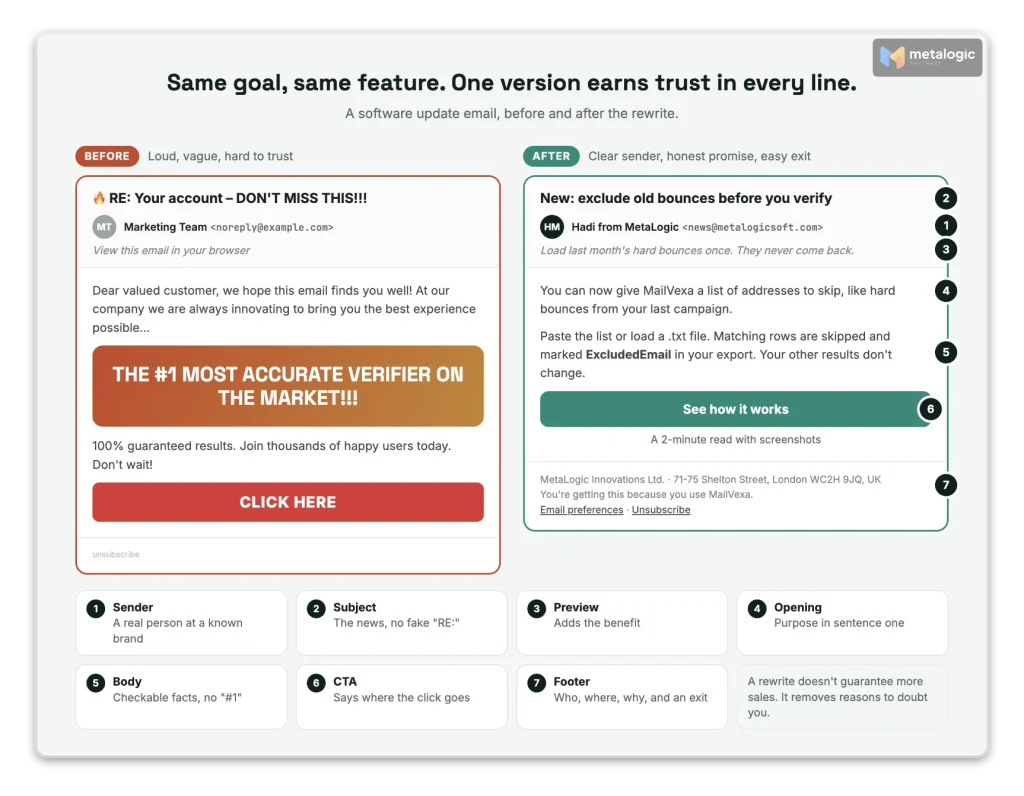
The rewrite doesn’t guarantee more opens or sales. It removes the things that make people doubt you. What happens next depends on whether the feature is useful to them, and you only learn that by testing.
Review before you send, and learn from responses
- Will subscribers recognize the sender name and address?
- Does the email match what they signed up for?
- Do the subject, preview text, body and landing page say the same thing?
- Are claims, prices, deadlines and conditions accurate?
- Do personalization fields have fallbacks, and do all links work?
- Is there one clear main action, with the next step explained?
- Can readers reply, change preferences and unsubscribe easily?
- Are the addresses on the list real and still working?
The last item is a separate step
Copy can’t help if the email goes to addresses that no longer exist. Old and imported lists hide dead addresses, typos and disposable inboxes. Sending to them creates bounces, and bounces hurt the reputation your copy is trying to protect.
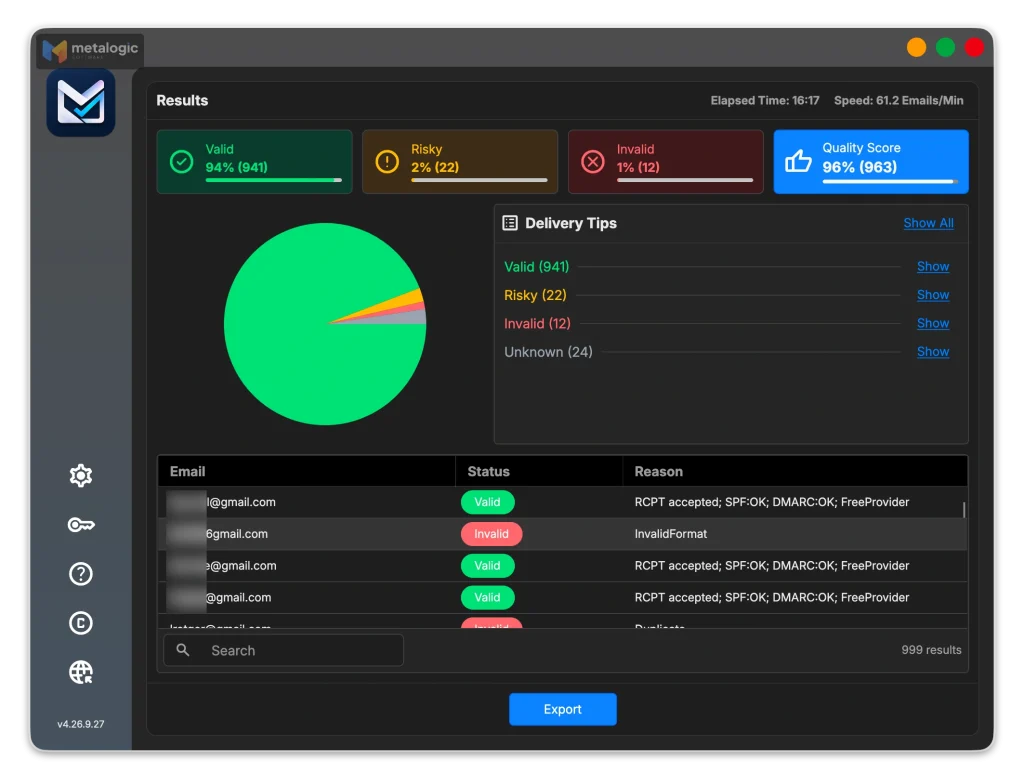
That’s where email list validation comes in. MetaLogic MailVexa is email verification software for Windows and macOS. It checks each address on your own computer: format, disposable and free-provider domains, MX records, the SMTP server and mailbox, catch-all behaviour, and the domain’s SPF and DMARC. Each address gets one of four results, Valid, Risky, Invalid or Unknown, with a reason. You can also load past hard bounces and unsubscribes so they’re skipped and marked ExcludedEmail.
What validating email can’t do
A valid result means a mailbox accepts mail. It doesn’t mean the person agreed to hear from you, that your email is relevant, or that it will reach the inbox. Verification is list preparation. Recognition and trust still come from everything above.
Our guide to cleaning your email list before a campaign walks through the full process with MailVexa. Or download MailVexa and check your next list during the free trial.
Learn from what people do, not just opens
Change one thing at a time, such as the sender name or the subject style, and compare results over several sends.
| Signal | What it tells you about trust |
|---|---|
| Replies | People see you as someone real enough to answer |
| Clicks and conversions | The promise in the email matched what they wanted |
| Unsubscribes | The content or rhythm no longer fits them |
| Spam complaints | They didn’t recognize you, or felt misled. Gmail’s sender FAQ asks bulk senders to stay below 0.1% and never reach 0.3% |
| Opens | Weak signal. Privacy features and security scanners create opens no human made |
Frequently asked questions
Should I send from a person’s name or my company name?
Either works. Gmail asks for “name and/or organization” that is accurate and consistent. A person plus the brand, like “Hadi from MetaLogic”, often feels warmer, but only if that person or their team reads the replies. A first name alone is risky for new subscribers.
How can I make a promotional email sound personal?
Write like one person talking to one reader, use “you”, share real reasons and real experience, and invite replies that someone answers. Don’t pretend a bulk email was written only for them.
Can I use urgency without damaging trust?
Yes, if it’s real. A true deadline with an exact date and time is useful information. Fake timers, fake “almost sold out” claims and deadlines that keep moving are dark patterns that break trust.
Should every marketing email include a discount?
No. Useful tips, product news and answers to common questions also earn attention. Constant discounts can teach people to wait for the next one. Use offers when you have a real reason.
How do I introduce a new brand name to existing subscribers?
Announce it before the change, use “New Name (formerly Old Name)” for a few sends, keep the same From domain and reply address, explain why in one line, then switch once and stay consistent.
Can trustworthy copy prevent emails from going to spam?
Not on its own. Honest, recognizable emails get fewer spam reports, which helps your reputation. But inbox placement also depends on authentication, list quality and sending habits, and no provider guarantees it.
Sources
Mailbox providers and platforms
- Gmail: Email sender guidelines. Display names, subject lines, “Re:”/”Fwd:”, From addresses, contacts, links.
- Gmail: Email sender guidelines FAQ. Spam rate below 0.1%, never 0.3%.
- Apple: Read and respond to emails in Mail on Mac. Apple Intelligence summaries in the message list.
- Mailchimp: About preview text. What happens when preview text isn’t set.
- Apple: Use Mail Privacy Protection. Why opens and location are unreliable.
- GOV.UK: Sentence length, why 25 words is our limit. Plain-language guidance (2014).
Regulators and law
- FTC: CAN-SPAM Act compliance guide. Accurate headers, honest subjects, postal address, penalties.
- FTC: Bringing Dark Patterns to Light (2022). Fake “from” lines, fake timers, confirmshaming.
- FTC: Final rule banning fake reviews and testimonials.
- UK PECR, regulation 22. Consent and the soft opt-in for marketing email.
Product
- MetaLogic MailVexa. Desktop email verification software for Windows and macOS.
Great copy deserves a list of real people.
Before your next campaign, check that every address still works. MailVexa sorts each one with a reason, keeps old bounces and unsubscribes out, and exports a clean file, all on your own computer.
Windows and macOS. Pay once, use for life. Free 14-day trial with up to 2,000 verifications.
We make MetaLogic MailVexa, so take our description of it with that in mind. Examples in this guide are illustrations; email platform rules and laws were checked in November 2026 and change often. Legal notes are general information, not legal advice.