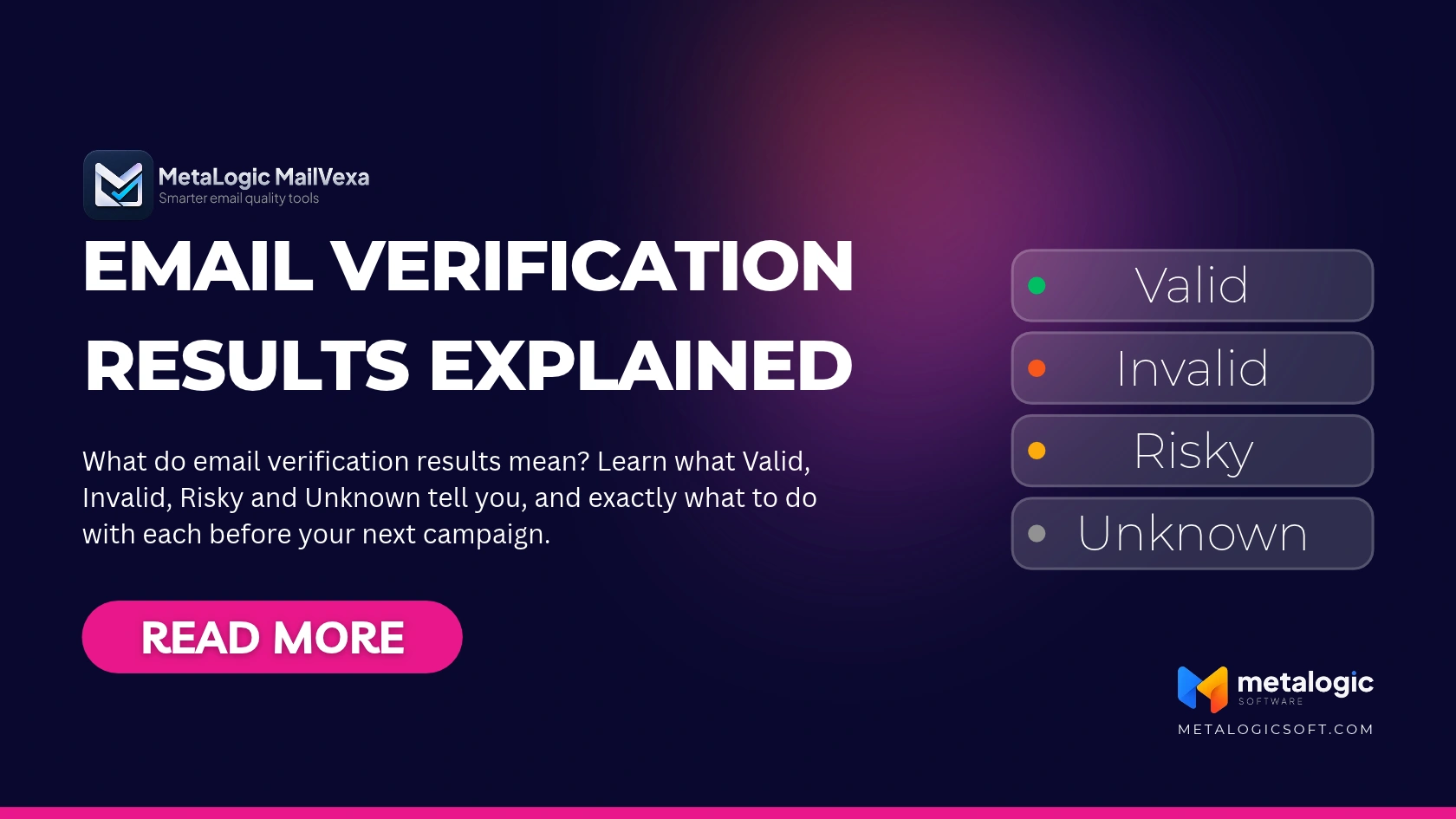
Your verification run has finished. Most of the list came back Valid. But there is a group marked Risky, another marked Unknown, and a few hundred Invalid.
Now you have to decide. Delete everything that is not Valid? Send to all of it and hope?
Both answers cost you. Send to the wrong addresses and your sender reputation takes the damage. Delete the wrong ones and you throw away real customers you worked hard to earn. This guide explains what each of the four email verification results means, and exactly what to do with it.
If you are new to verification itself, start with what email validation is and why it matters. This guide picks up where that one ends.
Quick answer
| Result | What it means | What to do |
|---|---|---|
| Valid | The checks found positive signs that the address can receive mail. | Consider it for sending, after checking subscription and unsubscribe status. |
| Invalid | The checks found a clear problem with the address or its ability to receive mail. | Exclude it from sending. |
| Risky | Something makes sending to it, or judging it, uncertain. | Read the reason. Keep it out of your main list. |
| Unknown | Not enough information came back for a definite answer. | Set it aside. Check again later if it makes sense. |
The short version: Valid is a candidate, not a permission. Invalid is out. Risky and Unknown are decisions you make one reason at a time, not in bulk.
Different tools, different categories
Category names and the rules behind them are not the same everywhere. For example, SendGrid’s validation uses three verdicts (Valid, Risky and Invalid) and places role and disposable addresses under Risky. Other tools add Unknown, or report catch-all as its own group. Always read your own tool’s definitions.
Valid: what a positive result really tells you
Valid means the checks found good signs. The address is written correctly. The domain exists and has a mail server. And when asked, that server accepted the mailbox.
That is useful. But look carefully at what it does not say.
- It describes one moment. The result is true for the time of the check. An account can close tomorrow.
- It does not promise the inbox. Where your message lands depends on your domain setup, reputation and content. Our guide to improving email deliverability covers that side.
- It does not mean the person wants your email. A Valid address can belong to someone who unsubscribed last month.
Valid is a filter, not a permission
A contact who unsubscribed or complained must stay out of your campaigns, even when the address verifies as perfectly Valid. Verification checks the mailbox. It knows nothing about consent.
Invalid: which addresses to exclude
Invalid means the checks found a specific problem. Common reasons include:
- Bad format. The address is not written correctly, like
name@@example.com. - No domain or no mail server. The domain does not exist, or it cannot receive email.
- Mailbox rejected. The mail server answered clearly that this mailbox does not exist.
Notice the word clearly. An Invalid result should come from a definite answer. A server that stays silent, or says “try again later”, is a different situation. That belongs under Unknown, and mixing the two is where real contacts get lost.
Read the reason, not only the label
Two addresses can both be Invalid for very different reasons. A missing domain is final. A formatting mistake might point to a typo worth confirming with the contact.
Exclude it, but keep the record
Removing an address from your campaign does not mean erasing its history. Keep a record that it failed, so the same address does not return through an old import.
And if you suspect a typo, do not “fix” it by guessing. exmaple.com might be example.com, or it might be someone else’s address entirely.
Risky: understand the reason first
Risky is the category people most often handle badly, because it is not one problem. It is several different problems sharing one label. Here are the three most common.
Catch-all addresses
Some mail servers accept mail for every address on their domain, including ones that do not exist. So when the server says yes, it proves nothing about this specific mailbox. The address may be real. You simply cannot confirm it.
Disposable addresses
These come from temporary email services. They may work at the moment of checking, then disappear. People often use them to claim a download without sharing their real address. They are rarely worth keeping for long-term communication.
Role-based addresses
Addresses like info@, support@ or sales@ belong to a team or a function, not a single person. They are real and someone reads them. Whether they belong in your campaign depends entirely on what you send.
| Reason | Real address? | Usual decision |
|---|---|---|
| Catch-all | Possibly. Cannot be confirmed. | Keep separate. Send carefully, only to contacts you know. |
| Disposable | Temporary at best. | Usually remove. |
| Role-based | Yes, shared by a team. | Depends on your campaign. Fine for B2B, often not for newsletters. |
Depending on the tool, these can appear as the main status or as an extra reason attached to it. SendGrid, for example, returns role and disposable addresses as Risky and marks them with separate flags.
One label, three different decisions
Treating every Risky address the same way is the costly mistake. Deleting all of them removes real companies behind catch-all domains. Sending to all of them keeps throwaway addresses on your list. Decide by reason.
Unknown: why a real address can stay unconfirmed
Unknown is a missing answer, not a wrong one. It means the check could not reach a conclusion. The address itself may be perfectly fine.
Common causes:
- The server did not respond, or took too long and the connection timed out.
- A temporary error on the receiving side.
- Rate limiting. The server slowed down or paused checks from your address.
- Greylisting. The server deliberately delays unfamiliar senders and asks them to try again later.
- The provider will not say. Some large providers refuse to confirm whether a mailbox exists.
Greylisting works by returning a “temporary failure” to senders it does not recognise. A normal mail server simply tries again later, which is why it blocks spam without blocking real mail. For a verification check, it means no clear answer the first time.
Verification providers document the same thing. Emailable’s documentation, for example, lists greylisting and temporary server behaviour as causes, and advises that Unknown should not automatically be treated as invalid.
When to check again
A second check makes sense after some time has passed: a few hours for greylisting, a day or more for a server that was down. Checking the same address again and again in a row rarely helps. It can even look like abuse to the receiving server and make things worse.
Deleting Unknowns is deleting customers
Some of your best contacts sit on company domains with strict mail servers. Those are exactly the servers that tend to return Unknown. If you delete the group, you lose them for good. Keep Unknowns in a separate file, and if they stay unclear after a later check, review them individually.
Status vs reason: read past the label
A good result has three layers. Each one tells you something different.
- Status is the overall result, such as Risky.
- Reason explains why, such as Catch-all.
- Additional flags describe other features of the address, such as a free email provider.
Here is how that looks with a few fictional results.
| Address | Status | Reason / flag | Decision |
|---|---|---|---|
[email protected] | Valid | Free provider flag | Include if subscribed. Free is not a problem. |
[email protected] | Risky | Role-based | Include only if this campaign targets companies. |
[email protected] | Risky | Catch-all domain | Separate file. Send only if you know the contact. |
[email protected] | Risky | Disposable | Remove. |
[email protected] | Unknown | Server did not respond | Set aside, check again later. |
j.smith@@example.org | Invalid | Invalid format | Exclude. |
Free providers are not low quality
A Gmail or Outlook address belongs to a real person as often as a company address does. The free-provider flag is information, not a warning. And an address that simply looks normal tells you nothing about its result. Only the check does.
Why results change, or differ between tools
Why is an address Valid today and Invalid later?
Because mailboxes change. People leave jobs, accounts close, domains expire. A result describes the moment of the check, which is why keeping the verification date matters.
Why does Unknown sometimes change on a second check?
Because the cause was often temporary. Greylisting ends, a busy server recovers, a rate limit resets. The address did not change. The server’s willingness to answer did.
Why do two tools give different results for the same address?
Several honest reasons, none of which require either tool to be wrong:
- Timing. The two checks ran at different moments.
- Different server answers. A mail server may respond differently to different checking IP addresses, especially a home connection versus a well-configured server.
- Different category rules. One tool puts role addresses under Risky, another under Valid with a flag.
The checking IP address matters more than most people expect. A check from a home connection often gets more Unknowns than the same check from a properly configured server. Our guide to building your own SOCKS5 proxy explains why, and how to fix it.
Do not shop for the answer you want
Running an address through tool after tool until one says Valid is not verification. It is choosing the answer in advance. If results disagree, treat the address as uncertain.
Reviewing and exporting results in MailVexa
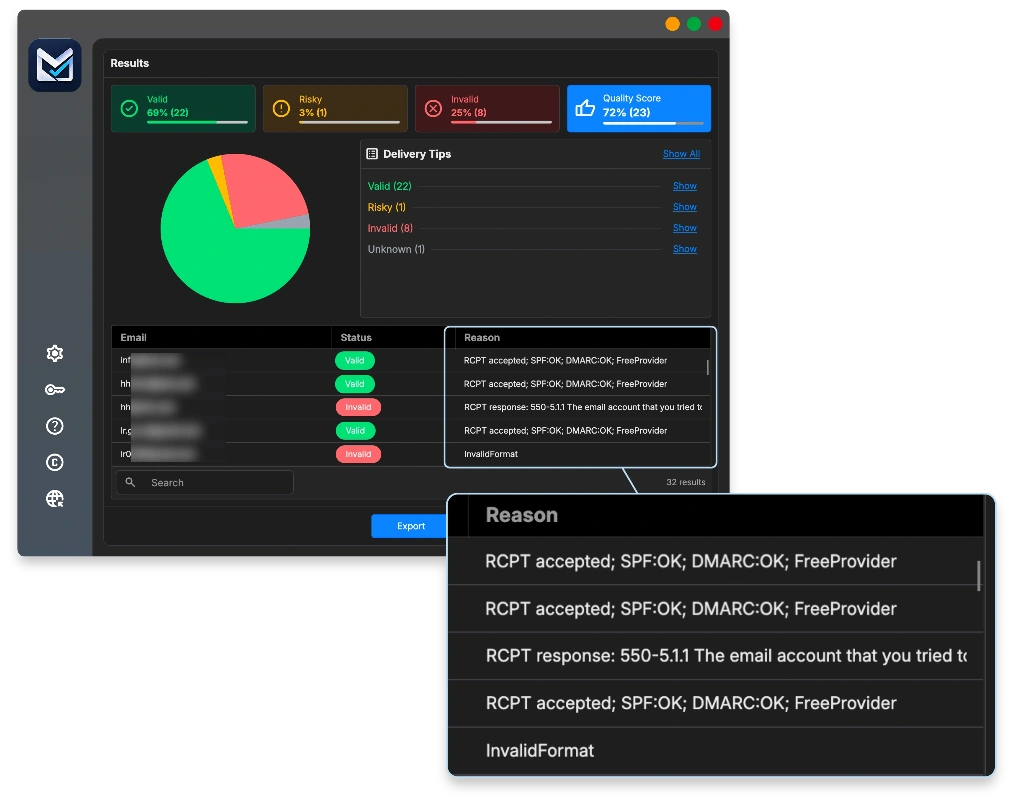
In MetaLogic MailVexa, results are shown in the same four groups: Valid, Risky, Invalid and Unknown, each with its own colour. The reason behind each result is attached, including sub-reasons such as catch-all, role-based or disposable.
What you can do on the results screen:
- Filter, sort and search the list by group.
- Open a single row to see its detail, including the MX records and the mail server’s response.
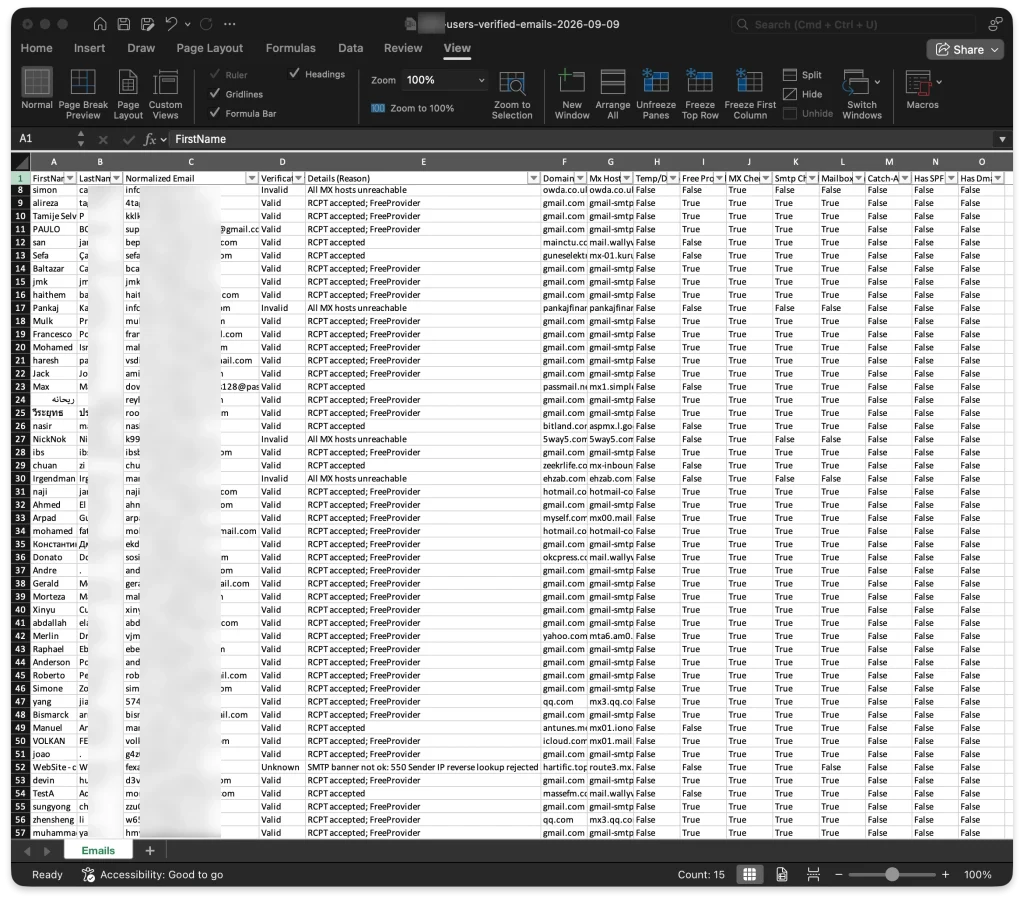
- Choose which groups to export, as Excel or CSV, keeping all of your original columns.
- Add result columns such as status, reason, domain, MX hosts, disposable and free-provider flags, and SPF or DMARC.
Keep the status and reason columns in any file you plan to revisit. Without them, a list of Unknowns six weeks from now is just a list of addresses. For the full step-by-step process, see how to use MailVexa from import to verified export.
A simple decision checklist
Before you move a verified list into a campaign, confirm each point.
- Invalid addresses are excluded from the campaign
- Risky and Unknown addresses did not go into the main list without review
- I read the reasons behind the results that matter most
- Unsubscribers and complainants are excluded, even when Valid
- I kept the verification date and the status and reason columns
Verification does not create permission or guarantee the inbox
A clean result tells you an address can probably receive mail. It does not make it acceptable to send, and it does not decide where your message lands.
For the complete preparation process before a campaign, see how to clean your email list before sending.
Common questions
Can a valid email address still bounce?
Yes. A result describes the moment of the check. A mailbox can close, fill up, or its server can fail after that. Verification removes the most predictable bounces, not every one.
Is Unknown the same as Invalid?
No. Invalid means a clear problem was found. Unknown means no clear answer came back. Treat them as separate groups with separate decisions.
Should I delete all catch-all addresses?
No. Many real companies use catch-all domains. Keep them in a separate file and send carefully, starting with contacts you already know.
Are role-based addresses always risky?
Not in the sense of being fake. They are real inboxes shared by a team. Whether they suit your campaign depends on what you send.
How long can I rely on a verification result?
There is no fixed expiry. The older the result, the less it tells you, especially for company addresses. Check again before any large campaign or before mailing a list you have not used in months.
Sources
- Twilio SendGrid — Bulk Email Address Validation Overview. Verdict categories, and how role and disposable addresses are classified.
- Emailable — All possible states and reasons. Causes of Unknown results and why they should not be treated as invalid.
- Wikipedia — Greylisting (email). How temporary failures work.
- MetaLogic MailVexa product page. Result categories, detail view and export options.
See the reason behind every result on your own list
MailVexa shows each result with the reason behind it, so you can decide group by group instead of deleting in bulk. Your list stays on your own computer the whole time.
Windows and macOS. The trial covers up to 2,000 verifications over 14 days, with no credit card required.
We build MetaLogic MailVexa, so weigh our description of it accordingly. The way to read results in this guide applies to any verification tool.